Opening your dashboard…
Free Chrome extension
Learn German from the videos you already watch
Sprekio puts German subtitles and your own language on the same screen, explains any word you hover, and keeps the ones worth remembering. It works on German websites too.
No account needed to watch a video and look up words.
Chrome extensions install on a computer, not on a phone.
Prefer YouTube? Watch the demo on YouTube
On YouTube
Turn Sprekio on in the player bar and the video becomes a lesson. You do not need YouTube’s own captions switched on.
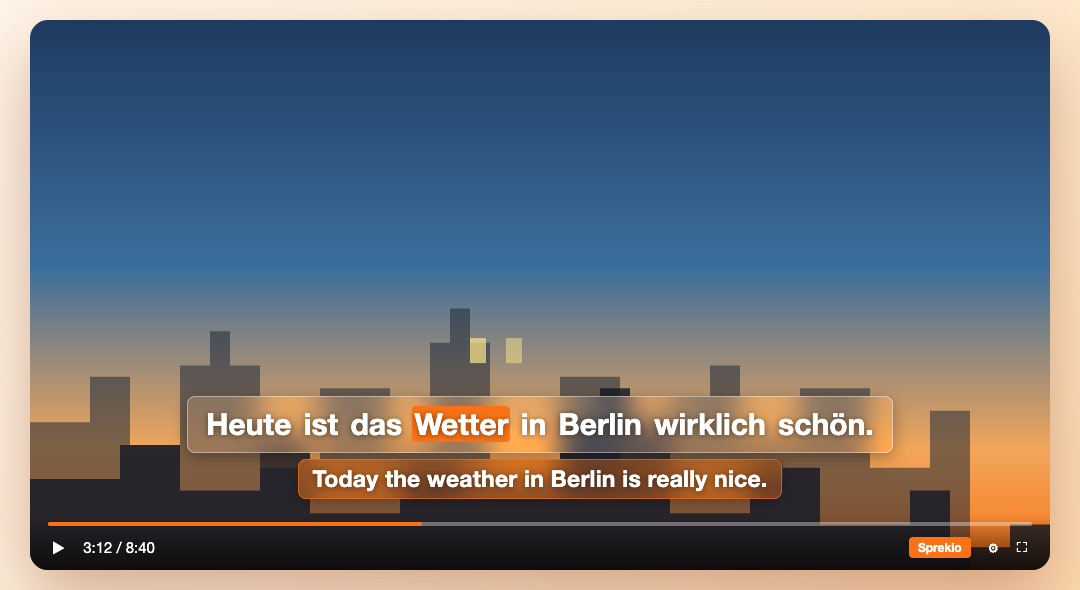
Dual subtitles, always in sync
The German line on top, your own language directly underneath. Sprekio draws its own subtitles, so you never have to switch YouTube's captions on.
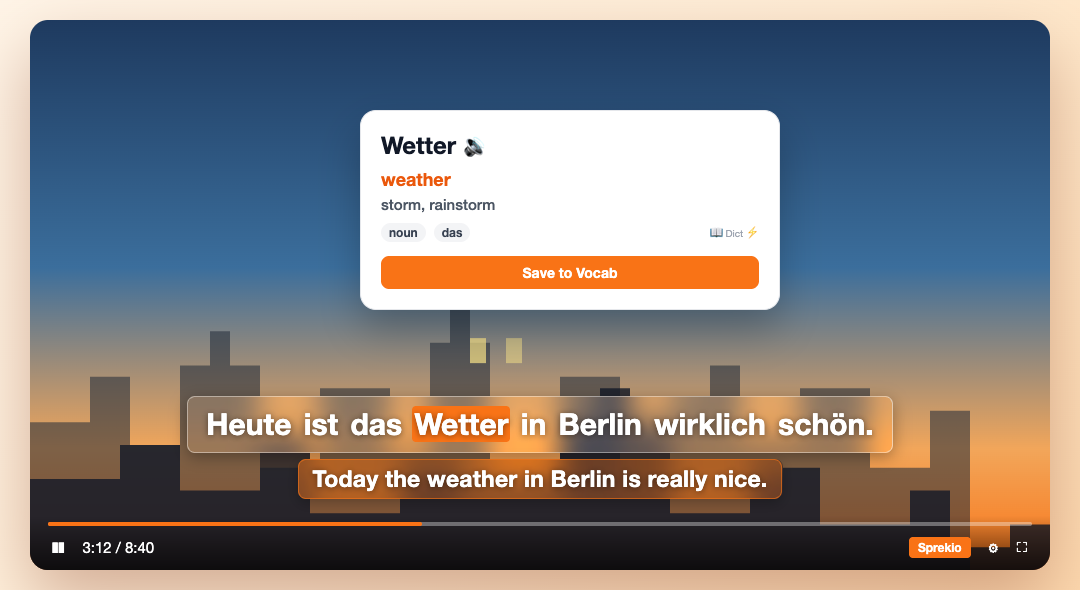
Hover a word to understand it
Gender, part of speech, meaning and a spoken pronunciation, without pausing or leaving the page. One click keeps the word.
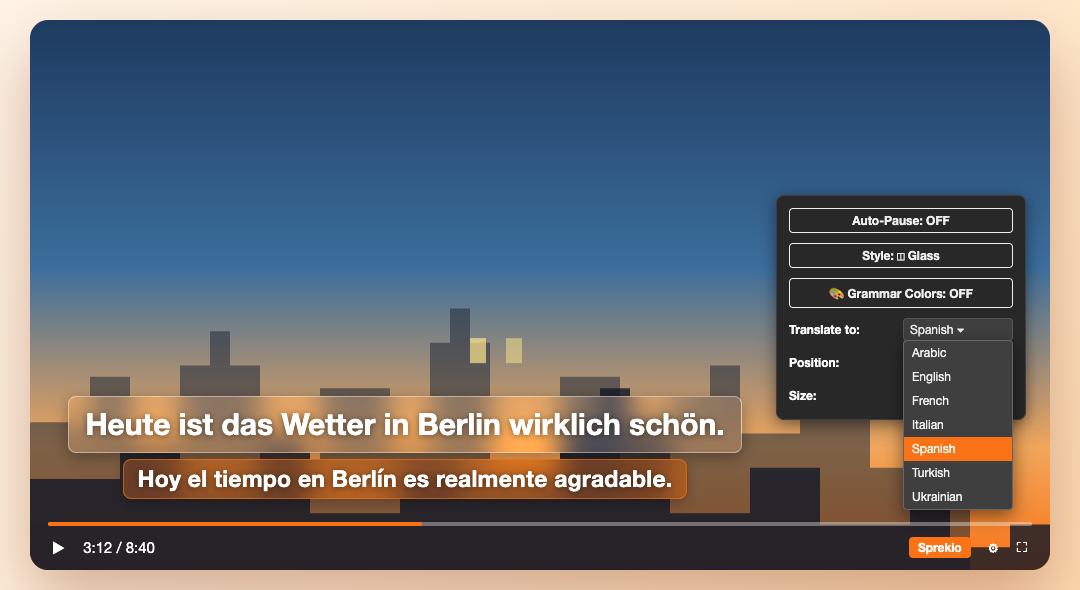
Read along in your language
English to start with, or Spanish, Turkish, Arabic and anything else YouTube can translate into. There is no API key to paste and nothing to configure.
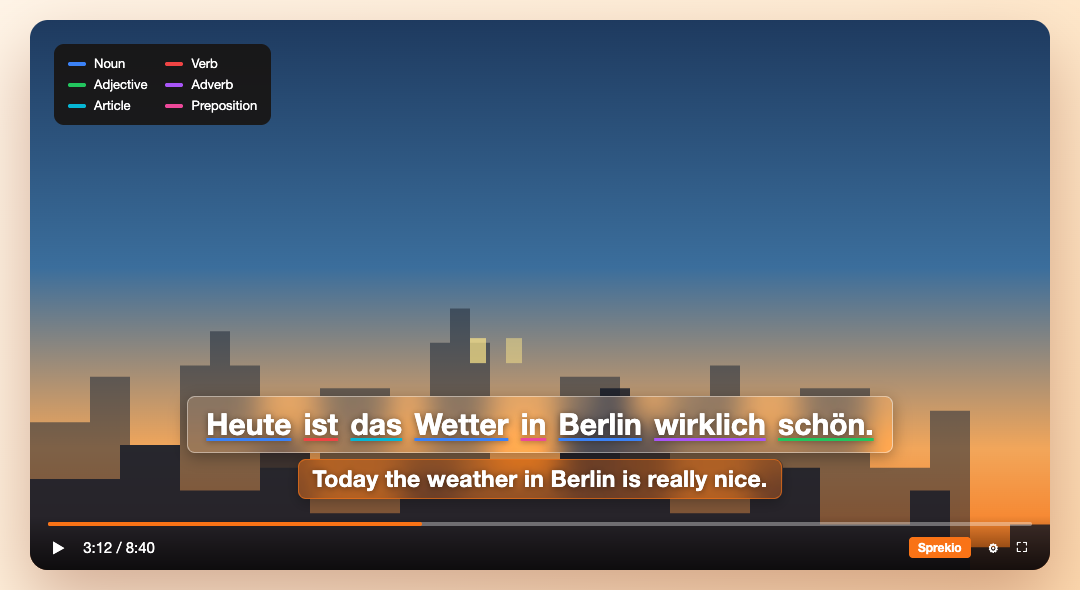
See the grammar in the sentence
Nouns, verbs, adjectives and the rest underlined in their own colour, so the shape of a German sentence is visible while you read it.
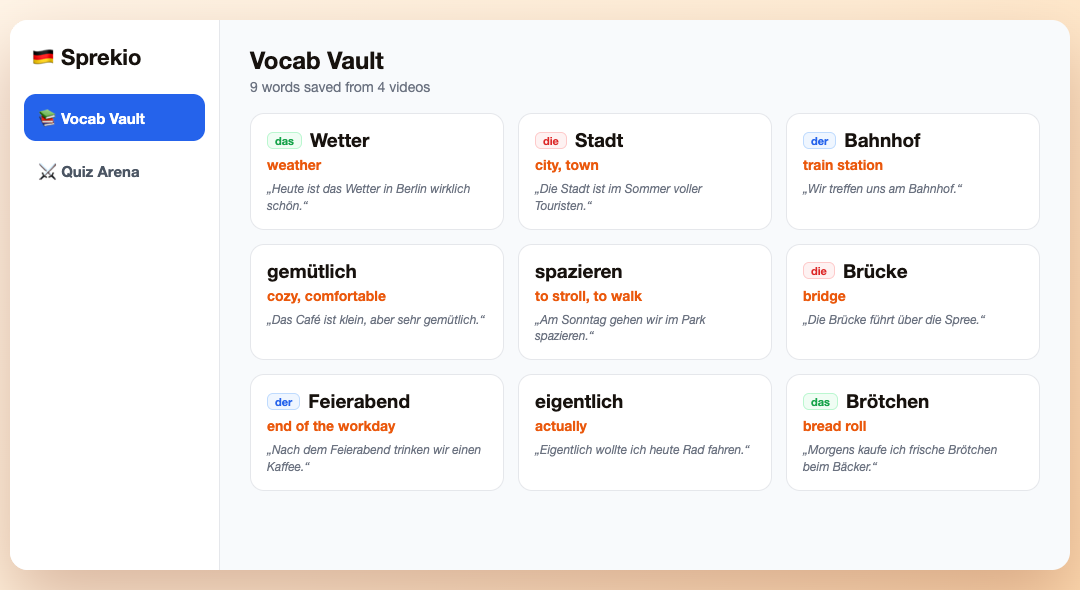
Every word you keep, in one place
Saved words land on this site with the sentence and the video they came from, ready to review when they are due.
On any German website
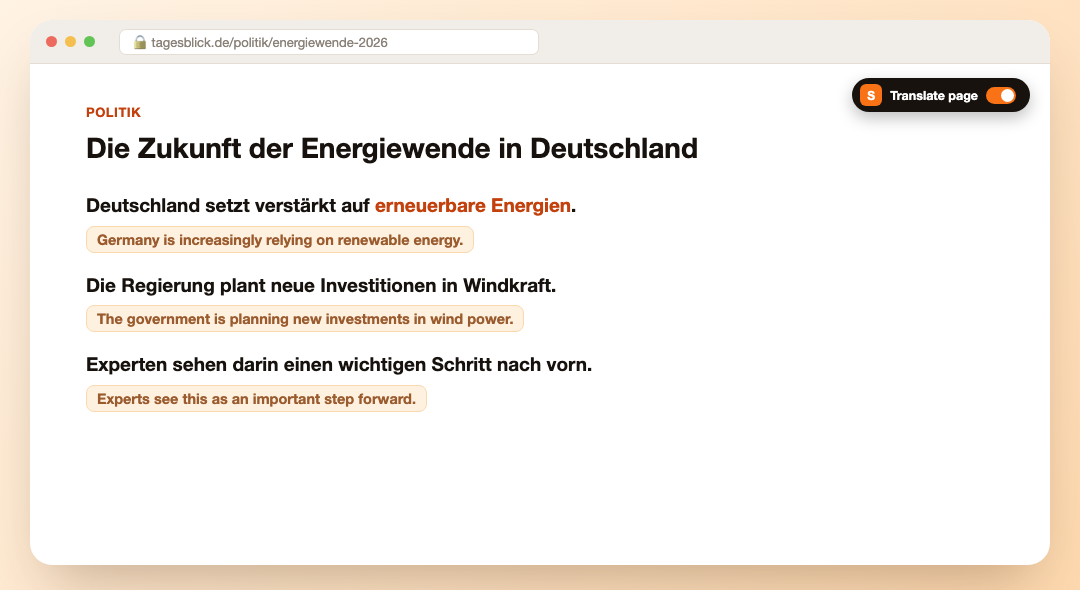
News, blogs, Wikipedia. Right-click a page and choose Read with Sprekio, or press Alt+Shift+S. The ✕ in its toolbar puts the page back exactly as it was.
Translate a page line by line
A translation appears under each German sentence as you scroll. Recall mode blurs them until you hover, so you can try to remember first.
The same lookups, anywhere
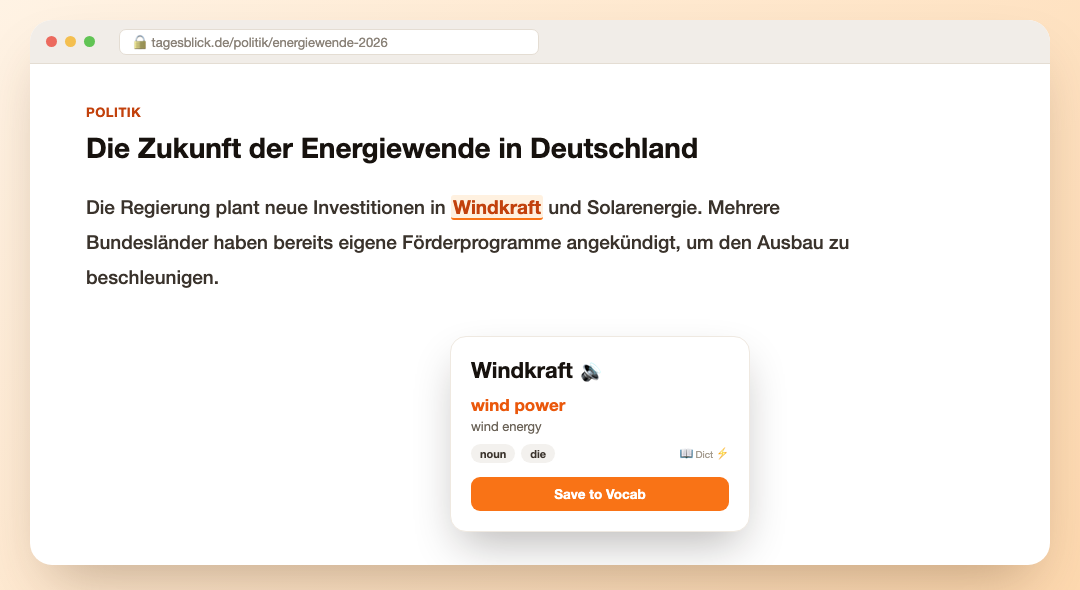
Hover any word on any German page for the meaning you would get on YouTube, with grammar colours and saving to your vocabulary.
New
Learning English instead?
Choose English under I’m learning in the extension. English videos then show English on top with German below, hovering a word gives its German meaning, and English websites work the same way. Open an English video while Sprekio is set to German and it offers the switch in one click.
Three steps to start
- 1
Install the extension
Add Sprekio from the Chrome Web Store and pin it to your toolbar.
- 2
Open a German video
Press the 🇩🇪 ON button in the player bar. Subtitles appear on their own.
- 3
Hover a word
Read what it means, hear it said, and save it if it is worth keeping.
No ads, no analytics, no tracking
Sprekio starts by itself only on YouTube. Everywhere else it waits until you ask for it. Words you save live in your own account, and nobody else can read them.
Read the privacy policy